What Is PickTrack? Features, Pricing & Alternatives
By the PickTrack team · Updated · 7 min read
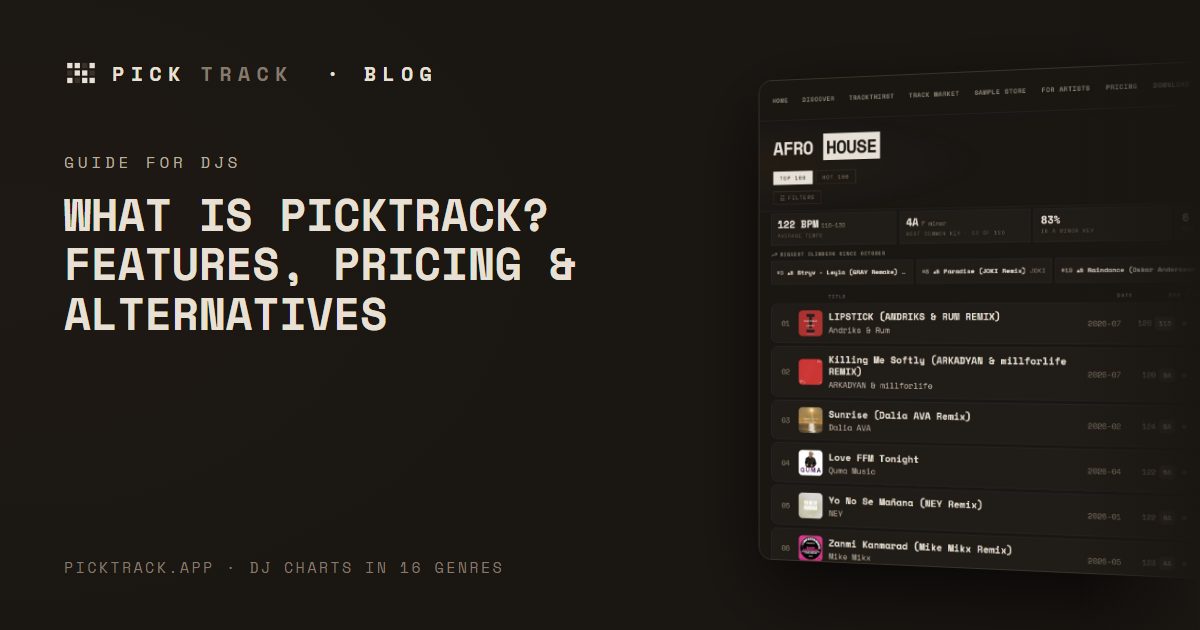
PickTrack is a music discovery platform for DJs. Every month it ranks the new tracks listeners react to most in 16 genres, shows the BPM and Camelot key of each one, marks the 1,600+ with a free download, and lets you turn them into a harmonic set in minutes. This page covers everything you can do on PickTrack, what is free, what Pro adds, and which tools and sites it can replace.
PickTrack in one paragraph
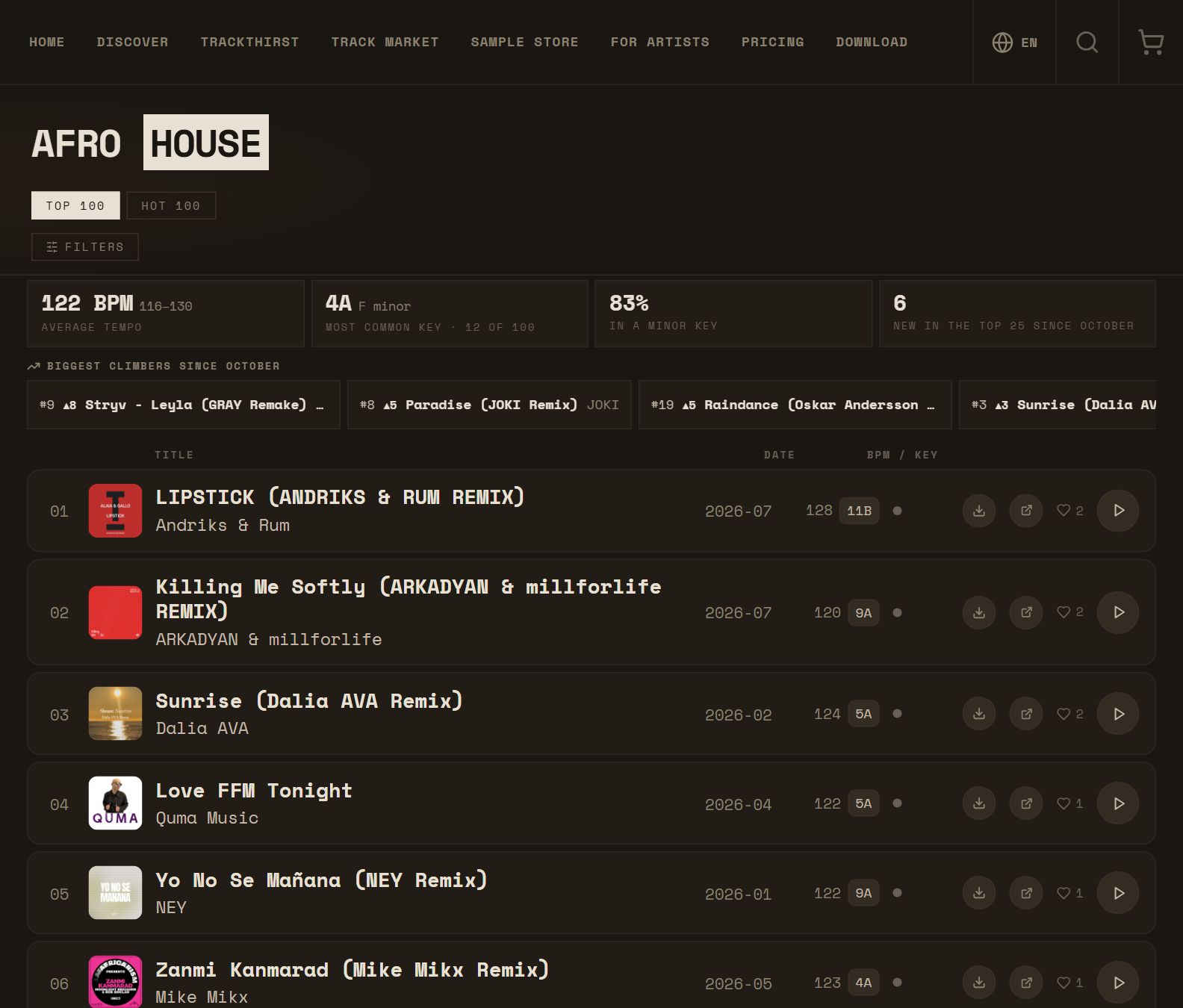
PickTrack (picktrack.app) publishes monthly DJ charts — a Top 100 and a Hot 100 of rising tracks — in 16 genres. Tracks are ranked by real listener engagement on SoundCloud: likes and reposts weighed against plays, not raw play counts, sales, label deals or paid placement. Nobody can pay to be on a chart. Every track plays in full, links to SoundCloud, and shows its BPM and Camelot key, so a chart is ready to mix from the moment you open it.
Genres: House, Tech House, Deep House, Afro House, Melodic Techno, Melodic House / Rave / Techno, Indie Dance, Amapiano, Drum & Bass, UK Garage / Speed Garage, Dubstep, R&B, Arabic Afro House, K-Pop, Lo-Fi / Chill Hop and Psytrance.
Who PickTrack is for
- Club and mobile DJs — Find new tracks for this weekend's set without digging for hours.
- House, Tech House and Afro House DJs — The genres with the deepest monthly charts and the most free downloads.
- Bass and UK DJs — Drum & Bass, Dubstep and UK Garage / Speed Garage charts every month.
- Beginner DJs — Learn which tracks mix together with Camelot keys and harmonic sort.
- Radio hosts and playlist curators — A monthly, engagement-ranked view of what is new.
- Producers and artists — Get on the charts through listeners, promote tracks with TrackThirst and show a "Charted on PickTrack" badge.
Everything you can do on PickTrack
Each of these is a common search — "afro house charts", "find songs by BPM and key", "free DJ downloads", "harmonic mixing playlist" — and PickTrack does it in one place.
- Monthly DJ charts in 16 genres — A Top 100 per genre (Top 50 for Arabic Afro House), refreshed every month: the best new House, Tech House, Afro House, Melodic Techno, Drum & Bass and more.
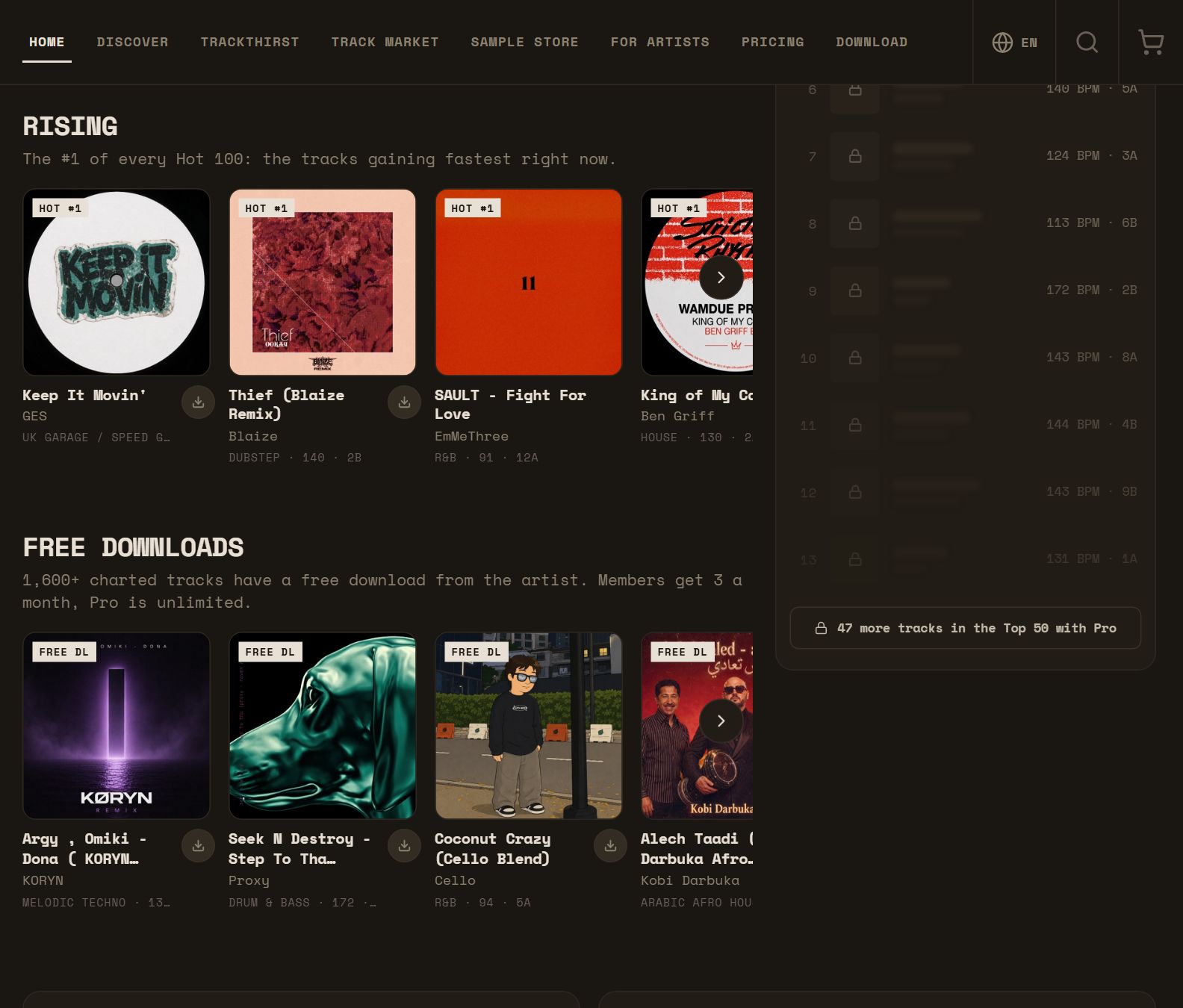
- Hot 100 of rising tracks — Newer tracks that are gaining listeners fast — the ones to catch early.
- BPM and Camelot key on nearly every track — Tempo and key (for example 124 BPM · 8A) next to each track, so you can plan mixes before you download anything.
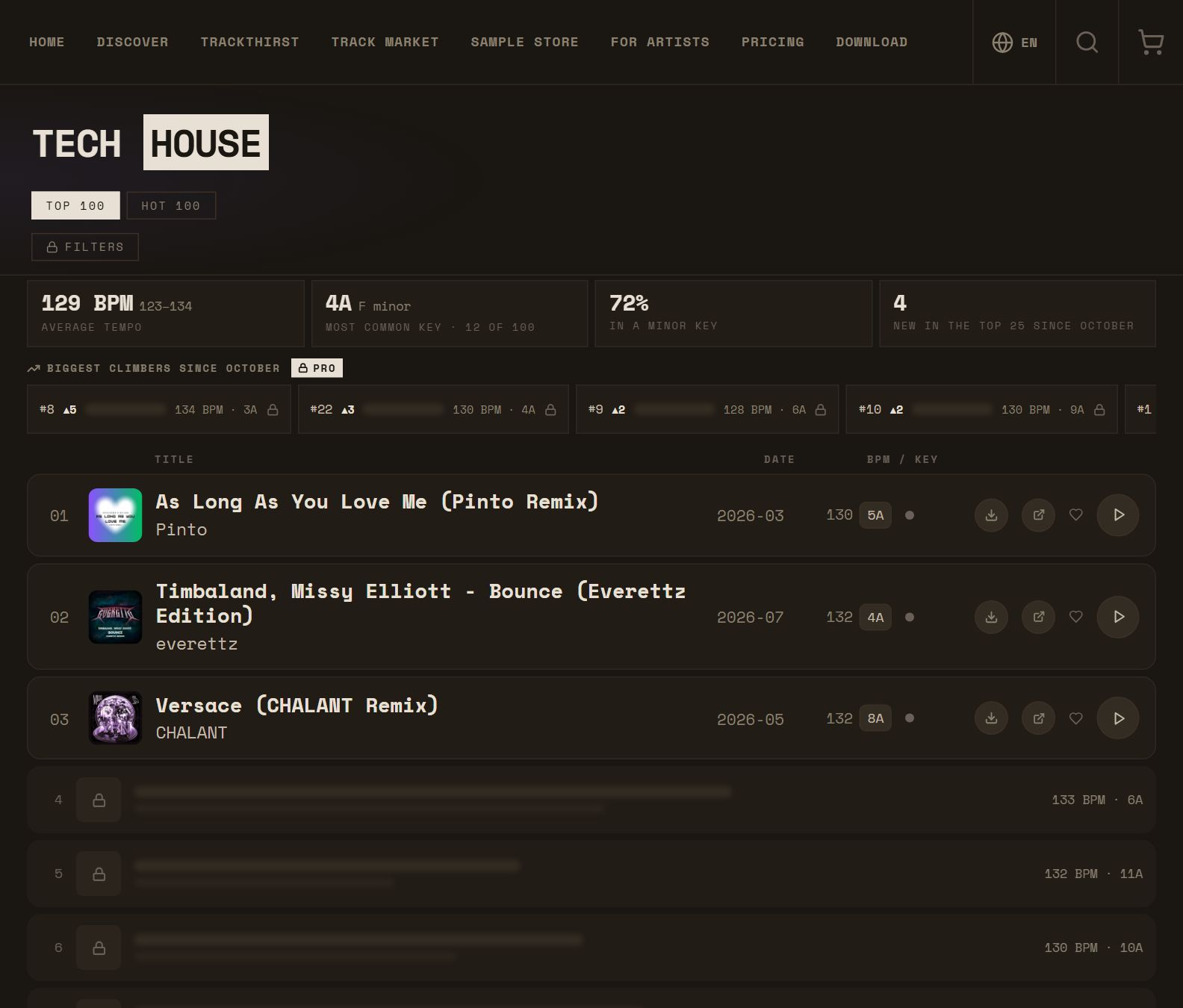
- Find songs by BPM and key — Pro filters narrow a chart to a BPM range, a key (exact, or every key that mixes with it) and a release year.
- 1,600+ free, legal DJ downloads — More than 1,600 chart tracks link to the artist's own free download. Free accounts open 3 a month on the web; Pro is unlimited.
- Full-length listening — Every chart track plays in full in the built-in player, on the web and in the apps.
- This month in numbers — Average BPM, most common key, minor-key share and new entries for each genre — and the biggest climbers since last month (Pro).
- Playlists and harmonic sort — Collect tracks into a set and sort it in one tap so each step moves to a compatible Camelot key while the tempo flows.
- Send a set to SoundCloud — Pro sends a finished playlist to your SoundCloud account in the same order — then play it from DJ software with SoundCloud streaming, such as rekordbox, Serato DJ Pro, djay Pro or Traktor.
- Export a playlist as text — A .txt list with title, artist, BPM and Camelot key — a shopping or prep list.
- Discover — New entries, rising tracks and hidden gems from this month's charts in one feed.
- Monthly chart archive — Every past month of every genre at picktrack.app/charts.
- Search and likes — Search every chart by title or artist, like tracks and find them again later.
- Apps for iPhone, iPad and Android — The same account, playlists and Pro on the web and on your phone.
- Ask your AI assistant — Connect PickTrack to ChatGPT, Claude or another MCP-compatible assistant and ask "what's new in Afro House at 122 BPM?" — see picktrack.app/ai.
- TrackThirst for producers — Support tracks from the 16 genres on SoundCloud, earn credits, and spend them to get your own music reposted.
- Charted on PickTrack badge — Artists who enter a chart can show a badge with their genre, list and month.
- Track Market (opening soon) — Independent artists can already upload WAV tracks to sell directly to DJs.

Free vs Pro
Prices are for the web; in the iOS and Android apps the stores set the price.
| Free | Pro | |
|---|---|---|
| Price | $0, no card | $7.99/month or $79/year — first month $4.99 |
| Charts | Top 3 of every chart in full, then rank, BPM and key of the next tracks | Every chart in full: Top 100 and Hot 100 |
| BPM and Camelot key | Yes | Yes, plus filters by BPM range, key and year |
| Free downloads | 3 a month (web) | Unlimited (web) |
| Playlists | 2 | Unlimited, with harmonic sort |
| Send to SoundCloud | — | Yes |
| This month in numbers | Yes | Yes, plus the biggest climbers by name |
| TrackThirst credits | 200 welcome credits (web) | 200 every month (web) |
PickTrack alternatives: which platforms does it replace?
PickTrack is a discovery tool. It replaces the hours spent finding tracks; it does not sell files, so you still buy from a store or the artist when there is no free download. Here is where it fits next to the tools DJs already use:
- Beatport charts — An alternative to sales-driven charts: PickTrack ranks by listener engagement, with no label deals. Compare: picktrack.app/alternatives/beatport.
- Traxsource charts — Engagement-ranked House, Tech House and Afro House charts next to the store charts. Compare: picktrack.app/alternatives/traxsource.
- Beatsource and Juno Download — Find the tracks first, then buy where you prefer: picktrack.app/guides/picktrack-vs-beatsource and /picktrack-vs-juno-download.
- Record pools (DJcity, BPM Supreme, ZIPDJ) — For underground electronic tracks, many with a free download, rather than DJ edits of commercial hits: /guides/picktrack-vs-djcity.
- Tunebat and SongBPM — No lookup needed: BPM and Camelot key are already on the chart: /guides/picktrack-vs-tunebat.
- Mixed In Key — See the key before you download; Mixed In Key then analyses your library: /guides/picktrack-vs-mixed-in-key.
- Hypeddit and free-download hunting — PickTrack ranks new tracks and marks the 1,600+ with a free download: /guides/picktrack-vs-hypeddit.
- 1001Tracklists — What listeners react to, alongside what big DJs play: /guides/picktrack-vs-1001tracklists.
- Bandcamp browsing — Ranked discovery with BPM and key; buy on Bandcamp afterwards: /guides/picktrack-vs-bandcamp.
- Digging on SoundCloud — The same tracks, ranked, with BPM and key — minutes instead of hours: /guides/picktrack-vs-soundcloud-digging.
- Streaming-app playlists — Editorial playlists are made for listening; PickTrack charts are made for DJs, with tempo, key and free downloads.
What PickTrack does not do
- It is not a store — There are no paid downloads; tracks link to SoundCloud and to the artist's free download where there is one.
- It is not a record pool — No DJ edits or intro versions.
- It only ranks SoundCloud — Tracks that are not on SoundCloud are not on the charts, and it covers 16 genres, not every sub-genre.
How to start in two minutes
- 1. Open a genre — picktrack.app → pick your genre, for example Afro House or Tech House.
- 2. Listen to the Top 3 — Free, full length, with BPM and Camelot key.
- 3. Grab the free downloads — Look for the download button on chart tracks.
- 4. Build a set — Add tracks to a playlist and hit harmonic sort (Pro for the full charts and unlimited playlists).
Related
- All comparisons on the blog
- Beatport alternatives for DJs
- Free DJ music discovery tools
- How to find tracks by BPM and Camelot key
- Harmonic mixing with the Camelot wheel
FAQ
What is PickTrack?
A music discovery platform for DJs: monthly Top 100 and Hot 100 charts in 16 genres, ranked by real listener engagement on SoundCloud, with BPM and Camelot key on nearly every track and 1,600+ free downloads from the artists.
Is PickTrack free?
Yes. A free account shows the Top 3 of every chart in full, plays tracks in full, opens 3 free downloads a month on the web and keeps 2 playlists. Pro is $7.99/month or $79/year on the web, with the first month at $4.99.
Is PickTrack legit and safe?
Yes. PickTrack does not host or sell music: it ranks public SoundCloud tracks, links to them, and links to downloads that the artists themselves offer for free. Payments run through the app stores or a standard checkout.
Can I download music from PickTrack?
PickTrack links 1,600+ chart tracks to the artist's own free, legal download. It does not sell files.
Does PickTrack work with rekordbox or Serato?
Yes, through SoundCloud: Pro sends a playlist to your SoundCloud account, and DJ software with SoundCloud streaming (rekordbox, Serato DJ Pro, djay Pro, Traktor) can play it. Any plan can export a playlist as a text list.
Does PickTrack show Camelot keys?
Yes. Nearly every track shows its BPM and Camelot key, and Pro can filter by key and sort playlists harmonically.
Which genres does PickTrack cover?
House, Tech House, Deep House, Afro House, Melodic Techno, Melodic House / Rave / Techno, Indie Dance, Amapiano, Drum & Bass, UK Garage / Speed Garage, Dubstep, R&B, Arabic Afro House, K-Pop, Lo-Fi / Chill Hop and Psytrance.
How often are PickTrack charts updated?
Every month. Each month's chart is archived at picktrack.app/charts.
Can artists pay to get on PickTrack charts?
No. There are no label deals or paid placements; tracks rank only by listener engagement.
Is there a PickTrack app?
Yes: iPhone and iPad on the App Store, and Android. Your account, playlists and Pro work everywhere.
Is PickTrack an alternative to Beatport?
For finding tracks, yes — engagement-ranked charts with BPM, key and free downloads. For buying files, Beatport is a store and PickTrack is not.
Can I use PickTrack in ChatGPT or Claude?
Yes. PickTrack has a connector (MCP server) that AI assistants can use to answer questions about this month's charts; setup steps are at picktrack.app/ai.
Published 2026-11-12 · updated 2026-11-12. Product details are from each service's public information; check current pricing on their sites. PickTrack is not affiliated with the other services mentioned.
Browse this month's charts →This month's charts by genre
House · Tech House · Deep House · Afro House · Melodic Techno · Melodic House / Rave / Techno · Indie Dance · Amapiano · Drum & Bass · UK Garage / Speed Garage · Dubstep · R&B · Arabic Afro House · K-Pop · Lo-Fi / Chill Hop · Psy-Trance · Monthly archive
More from the blog
 Best Music Discovery Platforms for DJs (2026)The best music discovery platforms and apps for DJs in 2026 — SoundCloud, Bandcamp, Beatport and Traxsource charts, PickTrack, 1001Tracklists, Mixcloud, Shazam and more — and what each one is actually good for.November 12, 2026 · 3 min read
 Camelot Wheel: Full Key Chart for DJs (All 24 Keys)The complete Camelot wheel chart: all 24 keys from 1A to 12B with their musical key names (8A = A minor, 8B = C major) and the keys each one mixes with — for harmonic mixing.November 9, 2026 · 4 min read
 Best Websites for DJ Music in 2026: Where to Find, Buy and Stream TracksThe best websites for DJ music in 2026 — Beatport, Traxsource, Juno Download, Bandcamp, Beatsource, record pools, SoundCloud and PickTrack — what each is for, and which are free.November 12, 2026 · 2 min read
 Where Do DJs Find New Music? 9 Places to Dig (2026)Where DJs find new tracks: store charts, SoundCloud, engagement-ranked charts, DJ mixes and tracklists, Bandcamp, promo pools, labels and more — with what each is good for.November 12, 2026 · 3 min read
 Beatport Alternatives for DJs (2026): Stores, Pools and Discovery ToolsThe main alternatives to Beatport for DJs — Traxsource, Juno Download, Bandcamp, Beatsource, record pools and free discovery tools like PickTrack — and which one fits what you need.November 12, 2026 · 2 min read
 Harmonic Mixing with the Camelot Wheel: A Quick Guide for DJsHow the Camelot key system works, which keys mix together (same number, ±1, A/B switch), how to use energy boosts, and how to sort a playlist harmonically.October 29, 2026 · 2 min read